

Webflow Hosting Explained: CDN, Uptime, Benefits, and Limitations
- Webflow hosting is included in every paid site plan: publishing deploys the site to AWS infrastructure behind Cloudflare's global CDN.
- There are no servers, caching plugins, SSL certificates or PHP updates for your team to manage.
- Compared with self-hosted WordPress, the difference is who owns the server layer: Webflow, or your team and your host.
- Webflow offers a 99.99% uptime SLA on Enterprise, DDoS protection and SSL are included on all paid plans.
- Hosting is included in the site plan: Basic $15/month or Premium $25/month, billed yearly.
- Core Web Vitals still depend on the build: images, scripts and embeds matter regardless of how good the hosting is.
Webflow hosting is included in every paid site plan. You publish, and the site runs on AWS infrastructure behind Cloudflare's global CDN, with SSL and DDoS protection included. There are no servers, caching plugins or PHP updates to manage. The trade-off is control: no database access and no server-side code on the marketing site.
How Does Webflow Hosting Work?
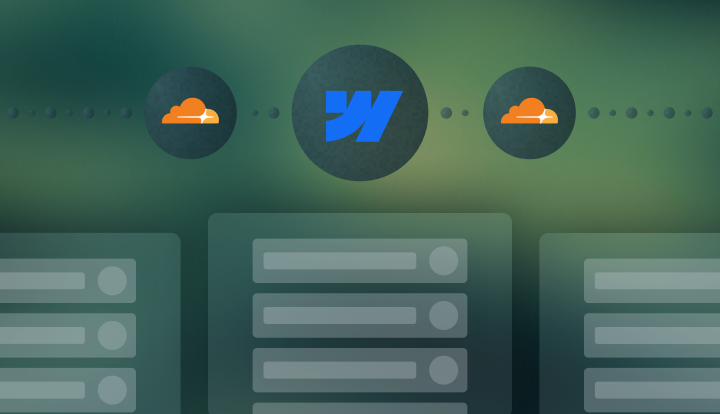
Publishing is hosting. When you click publish, Webflow deploys the site to its own infrastructure: AWS servers with Cloudflare's CDN in front. There's no separate hosting account, no FTP and no server setup. Traffic spikes from a campaign or launch scale automatically.
How Does Webflow Hosting Compare to Self-Hosted WordPress?
The difference is who owns the server layer. On Webflow, Webflow does. On self-hosted WordPress, your team or your hosting provider does.
| Webflow | WordPress (self-hosted) | |
|---|---|---|
| Server and PHP updates | Handled by Webflow (no PHP to patch) | Your team or your host |
| CDN | Included (Cloudflare) | Separate setup or a host add-on |
| SSL | Automatic | Usually via the host |
| DDoS and bot protection | Included | Depends on the host or an extra service |
| Security patches | Handled by Webflow | Server, core and plugins: your team or your host |
| Backups | Built in, with restore | Depends on the host or a plugin |
| Scaling | Automatic | Depends on the hosting plan |
| Uptime | 99.99% SLA on Enterprise | Varies by host |
Neither setup is wrong. A managed WordPress host takes on most of this work for a higher fee, and a team with its own engineers may prefer full control.
What matters is that someone clearly owns each layer. The October 2026 PHP2Shell incident showed why: PHP sites were only safe once whoever ran the server installed the fix, while Webflow-hosted sites had nothing to patch.
Does Webflow Use a CDN?
Yes, Cloudflare. HTML, CSS, JavaScript, images and fonts are cached at edge locations worldwide, so visitors load the site from a server near them. That matters for teams running campaigns in several countries.
If your site was created before April 2025, check that your domain uses Webflow's current DNS records: since January 13, 2026, sites still on the legacy records can't publish changes.
What Is Webflow's Uptime?
Webflow offers a 99.99% uptime SLA on Enterprise plans, and you can check its live and historical status at status.webflow.com. Because Webflow manages the infrastructure, there are no plugin updates or server patches on your side that can take the site down before a launch.
Is Webflow Hosting Secure?
Yes, at the infrastructure level. Every paid site gets automatic SSL, DDoS and bot protection through Cloudflare, and platform security updates without any action from you. Webflow is SOC 2 Type II compliant. Custom domains connect through standard DNS records.
What stays with your team: who has access to your Workspace, two-factor login, and any custom code or third-party scripts you add.
How Much Does Webflow Hosting Cost?
Hosting is included in the site plan, so there's no separate hosting bill. Prices billed yearly, October 2026:
- Basic: $15/month, for sites without a CMS
- Premium: $25/month, with 20,000 CMS items
- Team and Enterprise: for larger sites, with custom limits and the uptime SLA on Enterprise
Workspace seats for your team are billed separately. To compare fairly with WordPress, add up the host, CDN, security service, backups and maintenance time, not just the cheapest hosting plan.
What Doesn't Webflow Hosting Cover?
Three things sit outside it:
- Database access: CMS content lives in Webflow's system, which isn't built for complex relational data.
- Self-hosting: you can export the code, but not run the CMS on your own servers.
- Deep server control: custom caching rules or server configuration beyond what Webflow exposes.
For most B2B marketing sites, none of these matter. For server-side needs, Webflow Cloud (launched 2025) lets developers deploy Next.js or Astro apps on the same domain, on Cloudflare's network.
Does Webflow Hosting Improve Core Web Vitals?
It gives you a fast starting point, but scores still depend on the build. Oversized images, heavy scripts and third-party embeds hurt Largest Contentful Paint and Interaction to Next Paint on any host. Treat performance as a design and build decision from day one, not a fix after launch.
Good to know: If you're moving from WordPress, hosting is the easy part. The risk sits in URLs and redirects. Our Webflow migration team maps every URL before launch, so rankings hold.
Frequently Asked Questions
It's built into every paid site plan. When you publish, the site deploys to AWS infrastructure behind Cloudflare's CDN. There's no separate hosting account, server setup or maintenance.
Yes, Cloudflare. It serves your pages and assets from locations close to each visitor, with no CDN setup on your side.
Webflow offers a 99.99% uptime SLA on Enterprise plans, and you can check its status history at status.webflow.com. There are no plugin or server updates on your side that can cause downtime.
Webflow includes hosting, CDN, SSL and security updates in one plan. Self-hosted WordPress needs a host, plus CDN, security and backups set up and maintained by your team or your provider.
For most B2B marketing sites, yes. Compare Webflow's plan price with the full cost of running WordPress well (host, CDN, security, backups and maintenance time), not with the cheapest hosting plan.