
Webflow SEO: How to Optimize Your Site for Performance
- Webflow SEO is not just metadata and keywords - it’s a system covering site architecture, CMS structure, internal linking, crawlability, and page speed.
- Webflow gives teams strong native control (clean HTML, metadata fields, redirects, sitemaps) but still requires intentional strategy to perform in search.
- CMS collections should be structured around search intent from the start - how pages connect, how metadata is generated, and how URLs are organized all matter.
- Core Web Vitals (LCP, CLS, interaction stability) affect rankings and can be improved through asset compression, lazy loading, and clean build structure in Webflow.
- Internal linking built into templates - not added manually after launch - is one of the highest-leverage technical SEO decisions on a growing Webflow site.
- Ongoing SEO maintenance includes monitoring crawl errors, refreshing content, expanding internal links, and updating metadata as the site and search landscape evolve.
Having a good-looking Webflow site is a starting point, not an SEO strategy. If your pages are not ranking, loading quickly, or structured in a way search engines can understand, you are leaving growth on the table. That’s where Webflow SEO comes in. It is not just about meta titles and keywords. It is about site architecture, CMS structure, internal linking, page speed, indexability, and how well your content system supports long-term performance.
Webflow gives you the flexibility to build a clean, fast, and scalable site, but the platform still needs to be set up the right way. In 2026, that means thinking beyond on-page tweaks and building a system that supports both search visibility and operational efficiency. This guide breaks down what actually matters: the strategy, the technical details, and the practical optimization work.

Webflow SEO: What You Are Actually Optimizing
Webflow doesn’t do SEO for you. What it does give you is control: clean markup, flexible CMS architecture, fast hosting, editable metadata, redirect management, and a front end that can perform very well when built properly.
That is a strong foundation, but it is not a strategy on its own. Too many teams treat SEO like a checklist: add a title, write a description, check a few boxes, and hope for the best. That approach misses the bigger picture.
Good Webflow SEO means thinking in systems:
- How content connects across the site.
- How your CMS is structured.
- How URLs and metadata are managed consistently.
- How fast the site stays as it grows.
- How search engines crawl and interpret your pages.
If the structure is messy, the content is scattered, or the pages are slow, no amount of keyword work will fully fix it. Webflow gives you flexibility, but you still need a plan.
Start With Strategy, Not Settings
Before you touch a meta tag or adjust a heading level, step back and ask the strategic questions first.
“What are you trying to rank for?”
“Who are you trying to reach?”
“Does the current site structure actually support that goal?”
If your content does not match search intent, even well-optimized pages will underperform. That is usually where SEO plans fail - not in the technical setup, but in the lack of a clear direction.
Before diving into settings, define:
- Who is searching for you.
- What they are trying to do.
- Whether your current structure supports that journey.
For B2B SaaS and service-led websites, this matters even more. You are not just trying to get traffic. You are trying to attract the right traffic, map it to the right page, and move people toward action.
Build the CMS Around Search Intent
Webflow’s CMS is one of its biggest SEO advantages, but only if it is built with intent. A clean CMS structure helps you scale content without creating unnecessary SEO debt.ž
That means:
- Naming CMS fields clearly so they map to metadata, URLs, and content.
- Using meaningful slugs instead of generic ones.
- Setting custom meta titles and descriptions for each collection item.
- Designing template pages that can scale without becoming repetitive or thin.
A strong CMS structure makes it easier to publish content, update pages, and support future growth without breaking the site. It also makes it easier for search engines to understand how your content fits together.
Keep URLs Clean and Consistent
Your URL structure should be readable for users and search engines.
Good URLs are:
- Lowercase.
- Hyphenated.
- Descriptive.
- Structured around the content hierarchy.
Avoid generic or inconsistent patterns like /blog-post-1 or /page-3. Those URLs do not help users understand the page, and they make the site harder to manage over time.
Also, avoid changing slugs after a page is live unless you are handling redirects properly. Changing URLs without a redirect plan is one of the fastest ways to create avoidable SEO problems.
Use Headings to Clarify Structure
Heading tags matter because they help both users and search engines understand page hierarchy.
A few rules still matter in 2026:
- Use only one H1 per page.
- Keep a logical hierarchy from H1 to H2 to H3.
- Do not skip levels without a reason.
- Do not use headings just for styling.
A clean heading structure makes the content easier to scan and gives search engines better context. It also helps Webflow pages feel more deliberate and easier to navigate.
Make Metadata a Habit
Metadata still matters. It may not be the most glamorous part of SEO, but it is still one of the most important.
Set meta titles and descriptions intentionally:
- Titles should reflect the page’s core topic and encourage clicks.
- Descriptions should support click-through, even if they do not drive rankings directly.
For B2B sites, strong metadata is often the difference between a generic result and one that earns the click. It is also one of the easiest parts of SEO to improve once your structure is in place.
Alt Text Still Has a Job to Do
Alt text is not the place to stuff keywords. It should describe what the image shows or what role it plays on the page.
Use alt text to:
- Support accessibility.
- Add context for search engines.
- Clarify images that matter to the page’s meaning.
If an image is decorative, keep the alt text minimal. If it supports the content, describe it clearly and naturally.
Avoid Orphan Pages
Every page should be linked from somewhere.
Internal linking helps:
- Guide users through the site.
- Distribute SEO value.
- Make pages easier for search engines to find.
Orphan pages are easy to overlook, especially on growing sites with lots of content. But if a page is important, it should have a clear place in the site structure.
Performance, Speed, and Core Web Vitals
Site speed is not just a technical detail. It affects rankings, user experience, and conversion.
Webflow gives you a strong starting point with clean code, responsive layout control, and reliable hosting.
But speed still depends on how the site is built. If the design is heavy, the scripts are bloated, or the content is overloaded, performance will suffer.
Here’s how to keep your Webflow site fast:
Use Webflow Hosting to Your Advantage
Webflow’s hosting infrastructure is built for speed and stability:
- Assets are delivered through a global CDN.
- You avoid the complexity of external hosting setups.
- Publishing stays simple and predictable.
Optimize Images Properly
Images are often the biggest performance drag on a site.
Best practices:
- Use WebP for photos.
- Use SVG for icons and simple graphics.
- Upload images at the correct size.
- Avoid oversized assets that are scaled down in the browser.
- Lazy load non-critical visuals where appropriate.
A fast site usually comes from many small decisions done well.
Minimize Script Bloat
Third-party scripts can slow your site down fast.
To keep performance under control:
- Limit scripts that load on every page.
- Only embed what is actually needed.
- Load integrations conditionally when possible.
This is especially important for B2B sites that add chat widgets, analytics tags, forms, or tracking scripts over time.
Keep Animations Purposeful
Webflow animations can make a site feel more polished, but too many interactions can hurt performance.
Keep animations:
- Lightweight.
- Purposeful.
- Short and focused.
Avoid long, chained animations on page load. Motion should support the experience, not slow it down.
Be Careful With CMS Volume
Large CMS collections can become heavy if you push too much onto a single page.
To keep pages lean:
- Use pagination where needed.
- Break large content groups into focused sections.
- Avoid loading too many items at once.
If a page feels overloaded, search engines and users will both feel it.
Audit Performance Regularly
Don’t wait until traffic drops to review performance.
Use:
- Webflow’s audit tools.
- Google PageSpeed Insights.
- Lighthouse or GTmetrix for deeper analysis.
Performance should be part of your ongoing SEO process, not a one-time launch task.
Technical SEO Details Most Sites Miss
Once the basics are in place, there is another layer that separates a decent Webflow site from a truly strong one. These details are easy to overlook, but they matter.
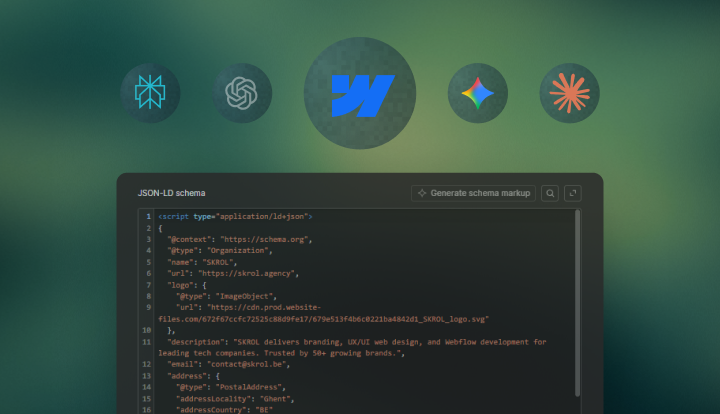
Add Structured Data
Structured data gives search engines more context about your content.
You can use schema markup for:
- Articles.
- FAQs.
- Products.
- Events.
- Other page types where rich results make sense.
In Webflow, schema can be added through page settings or embeds depending on how you want to implement it.
Set Canonicals Correctly
Duplicate or similar content can create confusion, especially on CMS-heavy sites.
Use canonical tags to:
- Point search engines to the preferred version of a page.
- Prevent similar pages from competing with each other.
- Reduce indexation issues on templates and filtered views.
Check Robots and Sitemap Settings
These are basic, but important.
Make sure:
- Your sitemap is enabled and includes the right pages.
- Your robots.txt rules block only what should be hidden.
A small mistake here can affect crawl behavior in a big way.
Watch for Thin Pages
Thin content can weaken site quality over time.
Use conditional visibility when needed to avoid showing empty sections. If a page is not ready, consider whether it should be indexed yet. Not every page needs to go live immediately.
Handle Pagination and Filtering Carefully
Search engines need crawlable URLs.
Avoid:
- Infinite scroll without paginated URLs.
- Filtered content that cannot be discovered properly.
- Tabs or variants that hide meaningful content from crawlers.
If a content variant matters, make sure it has a clear, indexable path.
Ongoing SEO and Final Thoughts
SEO does not stop when a Webflow site goes live. In many ways, that is when the real work begins. A strong Webflow setup gives you the foundation, but visibility depends on what you do after launch: keeping content fresh, reviewing performance, fixing issues, and improving the site based on real data.
Ongoing SEO should include refreshing older content, adding new pages as the site grows, checking performance in Google Search Console and PageSpeed Insights, fixing broken links and outdated redirects, and revisiting site structure as your content library expands. You should also look for patterns in rankings, clicks, and engagement so you can make smarter decisions over time.
You don’t need to do everything at once, but consistency matters. SEO is not about chasing every trend or making random changes - it is about building momentum and improving the system steadily.
A well-built Webflow site should do more than look good. It should perform, scale, and stay manageable as the business grows. The essentials are simple: build with intent, structure the CMS properly, optimize for speed, handle the technical details, and keep improving after launch. Webflow gives you the flexibility to do all of that. The difference is how deliberately you use it.
Frequently Asked Questions
Start with the fundamentals, because that is where most of the gains come from. Make sure every important page has a clear purpose, a unique title tag, a compelling meta description, a logical heading structure, and descriptive internal links pointing to it. Then review the technical side: clean up duplicate pages, check your redirects, confirm your sitemap is accurate, and make sure important pages are indexable.
After that, focus on content quality and site structure. Webflow makes it easy to publish quickly, but speed of publishing can lead to messy architecture if you are not careful. Use your CMS intentionally, group related content together, and make sure each page supports a real search query or business goal. SEO improves fastest when the site is built around intent rather than just publishing volume.
The most important settings are the ones that affect how search engines crawl, interpret, and index your site. That includes page titles, meta descriptions, heading hierarchy, canonical tags, 301 redirects, robots settings, sitemap generation, and structured data. If those basics are wrong, even well-written content can struggle to perform.
In practice, the first things to audit are usually page templates, CMS fields, URL structure, and duplicate content risks. For example, if your blog or resource pages all use nearly identical templates with weak variation, you may end up with pages that feel repetitive to search engines. You should also check whether pages that should not be indexed are being excluded correctly, especially on gated content, internal search pages, or utility pages.
Structure CMS pages around search intent, not just around your internal content workflow. Each collection should represent a clear content type, and each template should be built to serve one primary topic or query. That means planning your CMS fields so they can support unique titles, meta descriptions, on-page headings, body copy, related links, and any schema you need.
A strong CMS structure also helps you avoid scaling problems later. If your collections are too generic, you will eventually force unrelated content into the same template, which can weaken relevance and make pages harder to optimize. A better approach is to design collections around how people search, how the content will be updated, and how you want pages to connect internally across the site.
The biggest wins usually come from reducing unnecessary weight. Start with images, because oversized assets are one of the most common causes of slow pages. Use properly sized files, modern formats like WebP where appropriate, and avoid loading large visual elements above the fold unless they are truly necessary. Then review scripts, embeds, and animations, because third-party tools and motion-heavy interactions can quietly slow the site down.
You should also look at content density and page layout. Pages with too many CMS items, too many sections, or too much media can become sluggish even if the code is clean. A practical rule is to optimize for the user experience first: if a page feels heavy to load or hard to scan, it probably needs simplification. Page speed is not just a technical concern - it affects engagement, crawl efficiency, and conversion behavior too.
Treat launch as the beginning of the optimization cycle, not the end. Once the site is live, monitor how real users and search engines interact with it. Review performance in Search Console, check which pages are getting impressions but not clicks, identify pages that are underperforming, and watch for indexing issues, broken links, or redirect problems. That gives you a clear picture of what is working and what needs attention.
From there, build a steady maintenance rhythm. Refresh older content, add internal links where they make sense, update pages that are slipping, and expand the site structure as new content categories emerge. The best-performing sites usually improve through small, consistent iterations rather than large one-time fixes. In other words, post-launch SEO is less about constant reinvention and more about compounding improvements over time.