
Webflow Integrations: How Marketing Teams Extend Webflow Into a Real Growth System
- Webflow’s real value for marketing teams isn’t the website builder - it’s a front-end growth layer that connects cleanly to CRM, analytics, automation, enrichment, and reporting tools.
- There are four ways to integrate Webflow into a stack: native apps, direct tool connections, middleware like Zapier or Make, and custom API setups - each suited to a different level of complexity.
- The six integration categories that matter most are CRM, analytics and attribution, automation, lead enrichment, conversion and communication tools, and optimization.
- The most common mistake is treating integrations as a one-time setup - new forms, campaigns, and CRM changes create silent breakage unless the stack is audited regularly.
- UTM capture, form field naming, and lifecycle rules need to be designed before integrations are built, not after - bad data architecture produces misleading reports no matter how clean the connection is.
- When Webflow is integrated properly, marketing teams stop waiting on engineering for every campaign change and start running a connected growth system they actually own.
Webflow is often framed as a website builder. That undersells it. For modern B2B SaaS and tech marketing teams, Webflow is a front-end growth platform that becomes far more powerful when it connects cleanly to the rest of your stack. That’s the real story behind Webflow integrations. The value is not “you can connect tools” - almost every platform can do that.
The real value is that Webflow gives marketing teams a fast, flexible website layer that can plug into CRM, analytics, automation, enrichment, testing, chat, and reporting tools - without turning every new request into a development project. This matters more than ever in 2026. Marketing teams are under pressure to move faster and prove pipeline impact.
The Real Question: Can Webflow Run as Part of Your Stack?
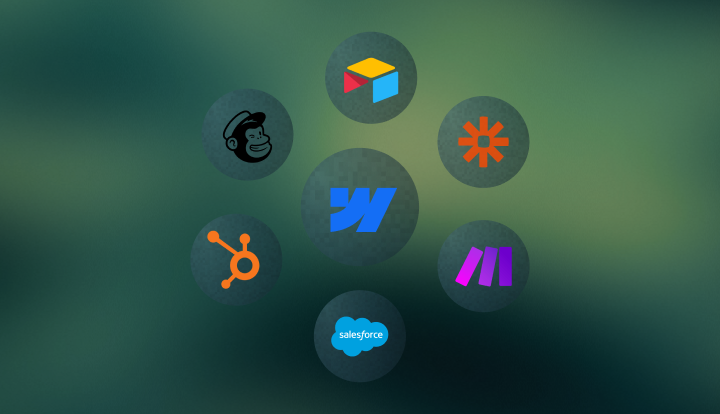
A lot of Webflow content focuses on features: CMS, animations, page speed, hosting, Designer, Editor. Those matter. But for marketing leaders, the bigger question is whether Webflow can operate as part of a serious go-to-market system. A B2B SaaS website doesn’t work alone. It needs to pass leads into HubSpot or Salesforce, send events into GA4, connect forms to automation, trigger lifecycle workflows, enrich leads with firmographic data, support personalization, and feed reporting back to paid media and revenue teams. If the website cannot connect to those systems cleanly, the team loses trust in the data and slows down every campaign.
Webflow's advantage is that it can connect at multiple levels:
- Native apps inside the Webflow App Marketplace.
- Direct integrations through connected tools.
- Middleware through Zapier, Make, or n8n.
- Custom API-based setups for advanced use cases.
That flexibility is what makes Webflow appealing to complex marketing teams. You are not locked into one operating model. You can start simple, then add sophistication as reporting, routing, or automation requirements grow.
Webflow Apps Changed the Conversation
A big reason this topic matters more now than it did a few years ago is the growth of the Webflow App Marketplace.
Webflow now supports a broad app ecosystem - over 300 apps since 2025 - that extends forms, CMS workflows, localization, analytics, automation, and other parts of the site experience without forcing teams straight into custom development. The positioning is clear: if an app can do what you need, start with the app first - move to API or custom development only when you hit a wall.
That’s important for marketing teams because it lowers the cost of complexity. Instead of asking a developer to custom-build every connection, teams can often install, authorize, and configure an app directly inside Webflow. This does not mean custom setups are gone.
It means the path is better:
- Start with the simplest reliable integration.
- Validate that it supports the workflow.
- Add middleware or custom logic only where it creates real value.
That’s a much healthier growth model than jumping straight from a simple site to a custom stack.
The Six Integration Categories That Matter to Marketing Leaders
Not every integration matters equally. For tech and B2B SaaS teams, the most important ones fall into six categories.
1. CRM Integrations
This is the most important layer for most teams. If your website generates leads but cannot connect them cleanly to the CRM, everything downstream gets weaker. This includes form capture, lifecycle stages, routing, source data, enrichment, and lead ownership.
Common tools: HubSpot, Salesforce, Pipedrive
This is also where marketing and sales alignment becomes visible. If the CRM integration is good, sales trusts the lead data. If it’s weak, the website quickly becomes "where random leads come from."
2. Analytics and Attribution Integrations
A website without analytics is a design asset, not a growth asset. Marketing teams need to know what pages convert, what campaigns generate pipeline, which CTAs matter, and how form events connect to paid media and CRM outcomes.
Common tools: GA4, Google Tag Manager, Google Ads, LinkedIn Insight Tag, Meta Pixel
This is the layer that turns traffic into measurable business outcomes. Getting it right means your reporting holds up - not just internally, but in board meetings and budget conversations.
3. Automation Integrations
Automation is what keeps marketing teams from becoming manual operations teams. When someone fills in a form, books a demo, downloads a resource, or triggers a product-interest workflow, the right action should happen without someone moving rows in a spreadsheet.
Common tools: Zapier, Make, n8n
This is often the bridge between Webflow and the rest of the stack when there is no native app or when logic needs to span multiple tools simultaneously.
4. Enrichment and Qualification Integrations
Not every lead should be treated equally. A B2B SaaS team usually wants to know company size, industry, employee count, revenue band, or ICP fit before a lead reaches sales or enters the wrong nurture stream.
Common tools: Clearbit, Clay, Apollo, HubSpot enrichment workflows
These integrations help turn a basic form fill into a qualified, actionable contact record - without anyone manually researching each submission.
5. Communication and Conversion Integrations
High-intent visitors often need more than a form. Chat, meeting booking, support handoff, and conversational conversion tools are often part of the site experience - especially for product-led or sales-assisted funnels.
Common tools: Intercom, Drift, HubSpot Chat, Calendly
These tools reduce friction and create additional ways to convert beyond submit and wait. For buyers who are evaluating actively, removing one step can make a real difference.
6. Optimization and Experimentation Integrations
When teams mature, they stop asking “is the site live?” and start asking “what is the site teaching us?” instead. Testing and optimization tools help answer that.
Common tools: Webflow Optimize, Optibase, Microsoft Clarity, VWO
This is where the website becomes a continuous improvement system instead of a static marketing asset.
Overview of Webflow Marketing Integrations
Here’s the practical view for marketing leaders deciding what to prioritize first.
Native Apps vs. Automation vs. Custom Integrations
This is one of the most useful decision frameworks for a marketing leader - not every problem should be solved the same way.
Option 1: Native Apps
Best when a reliable app already exists and the team wants speed with minimal setup.
Choose this when:
- The workflow is common and the app covers it well.
- The team wants a no-code or low-code path.
- Speed of setup matters more than full customization.
Good for: basic CRM connection, localization, analytics add-ons, CMS extensions.
Option 2: Automation Tools
Best when the workflow spans multiple systems and the team wants flexibility without full custom development.
Choose this when:
- Data needs to move between several tools.
- Conditions or branching logic matter.
- Marketing ops wants ownership of the workflow.
- A native app does not exist or is too limited.
Good for: lead routing, notifications, syncing form data to multiple destinations, enrichment flows.
Option 3: Custom Integrations
Best when the workflow is strategically important and the simpler options no longer support it reliably.
Choose this when:
- Attribution needs are advanced.
- Middleware creates too much fragility.
- The workflow is business-critical and volume is high.
- The team needs deeper control than apps or automation can provide.
Good for: advanced form handling, complex CRM logic, proprietary systems, custom reporting events, multi-region or multi-brand setups.
The mistake is not choosing custom. The mistake is choosing it too early or too casually. Start with the simplest setup that can support the workflow with confidence, then deepen the architecture only when there’s a real reason to do so.
What a Strong Webflow Integration Setup Looks Like in Practice
A good integration stack does not feel complex from the outside. That is part of the point.
A visitor lands on a campaign page. The site loads fast. They read the page, interact with the product story, and submit a form. Behind the scenes:
- GTM captures the form event and attribution data.
- HubSpot creates or updates the contact with source and page context.
- UTM values are stored on the contact record.
- An enrichment workflow adds company size and industry.
- A routing rule decides who gets notified.
- A Slack notification fires for high-intent submissions.
- The lead enters the right lifecycle stage and nurture sequence.
- GA4 and ad platforms receive the conversion event.
To the visitor, none of this is visible. To the marketing team, everything is visible. That’s the point of a well-integrated Webflow setup: fewer manual steps, cleaner reporting, better handoff to sales, and more confidence when making budget decisions.
Why This Matters Specifically for Marketing Leaders
For a developer, integrations are an implementation question. For a CMO or Head of Marketing, they are an operating model question.
The real benefit of Webflow integrations is not that the website can talk to tools. It’s that the marketing team becomes less dependent on engineering for execution. That changes how campaigns get launched, how quickly new landing pages go live, how fast attribution issues get fixed, and how much confidence leadership has in reporting.
This is especially valuable in B2B SaaS because the website is rarely just a website. It’s:
- A demand gen surface.
- A product narrative layer.
- A conversion system.
- A reporting input.
- A sales enablement tool.
- The first real product experience a buyer has.
When Webflow is integrated properly, marketing owns more of that system directly. And that’s not “marketers can edit text.” That is marketing running a connected growth engine without waiting on a sprint cycle for every meaningful change.
Common Mistakes Teams Make With Webflow Integrations
Treating integrations as one-time setup tasks:
A stack that worked six months ago may already be drifting. New forms, changed campaigns, renamed CRM fields, new routing rules, and container updates create silent breakage. Build in regular audits.
Connecting tools without designing the workflow:
A form can technically sync to a CRM and still be operationally useless if the team has not decided what happens after submission - who owns the lead, how attribution is stored, what qualifies routing, and which workflow fires. Integration is not just configuration.
Over-customizing too early:
Custom integrations feel powerful, but they add maintenance overhead. If a native app or automation layer already solves the problem reliably, use that first. Add complexity only when the simpler option has a clear ceiling.
Ignoring data governance:
Form field naming, source taxonomy, campaign naming conventions, lifecycle rules, and field ownership all matter. Integrations that skip this step connect cleanly on day 1 and produce unreliable data by month 3. The integration is only as good as the structure around it.
Building reporting on top of bad attribution:
If UTM capture, page context, or conversion events are wrong, every dashboard built on that data becomes misleading. Attribution needs to be designed and tested before workflows and reporting are built on top of it.
The Bigger Point: Webflow Is Not Meant to Replace Your Stack
This is where a lot of platform comparisons go wrong.
Webflow is not strongest when it tries to be your CRM, your analytics suite, your automation layer, and your sales system all in one. It is strongest when it becomes the best website layer in a connected stack.
That’s why the integration story matters so much to marketing leaders evaluating the platform.
The question is not:
“What can Webflow do alone?”
The question is:
“What does your marketing operation look like when Webflow is integrated properly?”
The answer, for most B2B SaaS teams: faster campaign execution, cleaner lead data, better attribution, stronger sales handoff, and a website that marketers actually own and trust.
Frequently Asked Questions
Yes. Webflow's app ecosystem now covers the vast majority of tools that B2B SaaS marketing teams rely on - from HubSpot and Salesforce to GTM, Zapier, Intercom, Clearbit, and beyond. For cases where a native app does not exist, automation tools and custom API integrations fill the gap. The question for most teams is not whether Webflow can connect to their stack, but which integration method is the right fit for each workflow.
Webflow apps are the easier starting point - they are built to extend Webflow without custom development and are often enough for common use cases. Custom integrations are better when the workflow is business-critical, more complex than an app can handle, or too specific for a marketplace solution. Most teams use a mix of both depending on the requirement.
Yes. That is a very common and well-supported setup. Webflow can simultaneously connect to HubSpot for CRM and lifecycle workflows, GTM and GA4 for tracking and attribution, and tools like Make or Zapier for multi-step automation. In most cases, that combination gives marketing teams both flexibility and operational control without needing a developer for day-to-day management.
It’s more than suitable for complex teams when the integration design is thoughtful. Webflow on its own is only part of the picture. When connected properly to CRM, analytics, automation, and reporting tools, it supports sophisticated go-to-market workflows without making the site harder for marketing to operate independently.
Usually when the workflow becomes strategically important and the simple options stop being reliable enough. That might mean advanced attribution logic, complex lead routing across multiple systems, proprietary data requirements, or multi-brand setups. The best rule: use the easiest setup that supports the workflow confidently, then add complexity only when there is a clear and specific reason to do so.